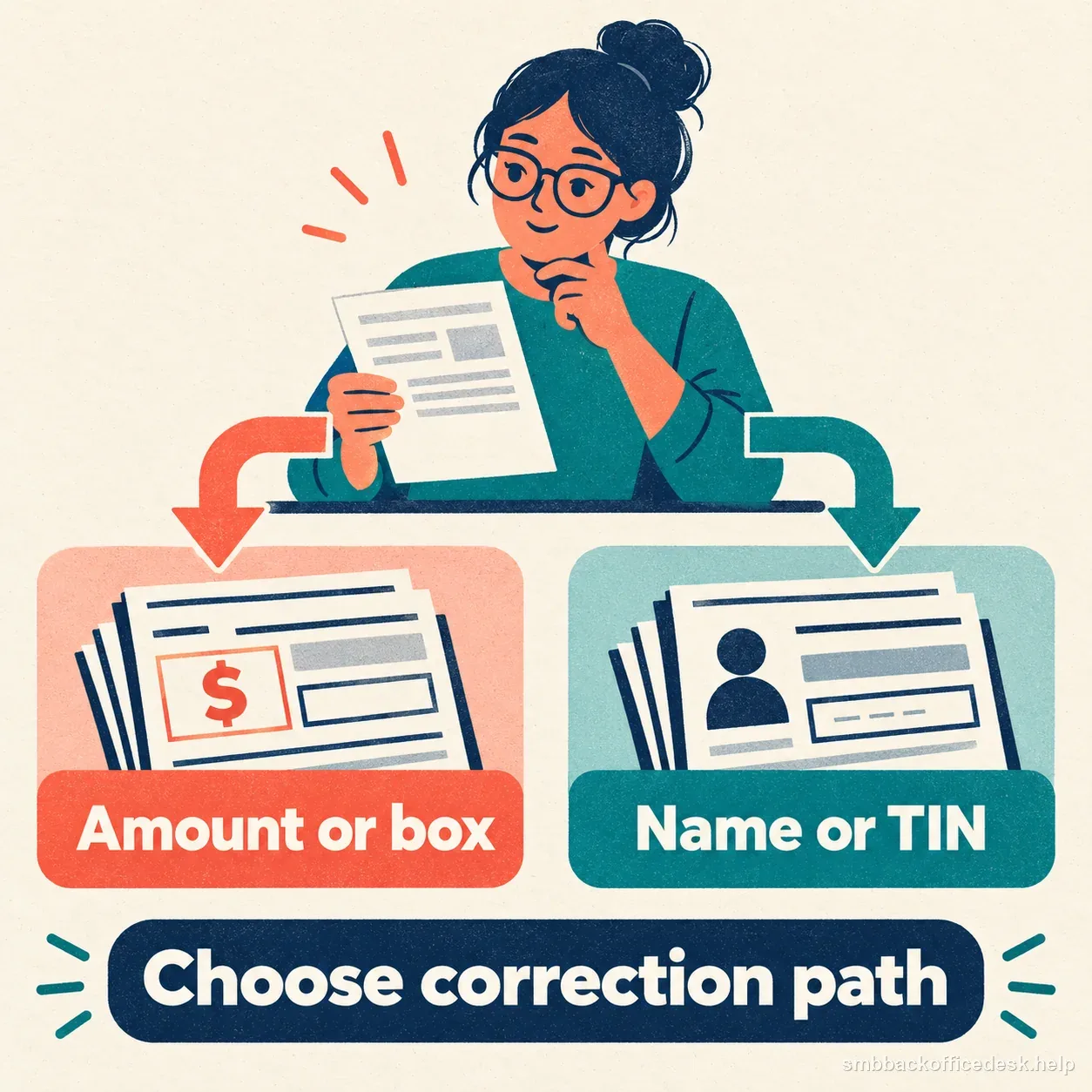
A 1099-NEC correction starts with one question: was the recipient identity wrong, or was the money or a box wrong? A payee-name or taxpayer identification number (TIN) error follows a different path from an amount or code error. Also check whether the original return was accepted; a rejected transmission usually needs its rejection fixed and resubmitted, not a correction to a return the IRS never accepted. Once you classify the error, follow the current instructions for the way the original was filed, furnish the corrected recipient statement, and retain the submission status. Do not check VOID on a form already filed with the IRS as a substitute for a correction.
Confirm the original filing status before changing anything
Pull the submitted form, recipient copy, payment ledger, filing confirmation, and any state transmission status. Determine whether the federal original was accepted, rejected, or is still processing. If it was rejected, read the rejection message and fix the original submission through the filing service; do not create a corrected return against an IRS record that may not exist. If the IRS accepted the original, record its tax year, form type, recipient account, filing method, and acceptance date before starting a correction.
Then compare the form with source records: invoices, payment processor reports, vendor setup, year-end reconciliation, and the W-9 or other applicable payee documentation. Decide whether the error is (1) a payment amount, code, or checkbox; (2) the payee name or TIN; (3) the wrong recipient; (4) the wrong form type; or (5) a state/local field only. The IRS general instructions group common corrections as Error Type 1 and Error Type 2, and explain that some problems need two returns. A correction is not a reason to rebuild the entire ledger from memory.
| Error found | IRS correction pattern | Do this before filing |
|---|---|---|
| Wrong amount, code, or checkbox; recipient identity is right | Usually one corrected return for the accepted record | Reconcile the correct amount or code to source records and confirm the form year/type |
| Wrong or missing payee name/TIN | Paper instructions require a two-step correction; IRIS portal correction workflow can differ | Preserve the original recipient details and read the exact process for your filing system |
| Wrong form type | IRS instructions generally require removing the wrong record and filing the correct form | Confirm the right information-return type with tax guidance; do not treat it as a simple box edit |
| Original was rejected | Fix and retransmit the original submission | Follow the rejection code and verify acceptance after resubmission |
| Only a state/local item is wrong | State or local correction process may apply | Check the affected tax department; the IRS says not to send a federal correction solely for state/local information |
Correct an amount or code when the recipient is right
For a paper-filed return with an incorrect money amount, code, or checkbox, the IRS error chart says to prepare a new information return, mark the CORRECTED box, and enter the corrected information while reporting the other information as on the original. The paper process also uses Form 1096 and a Copy A sent to the appropriate IRS processing center. The IRS says not to include the incorrectly filed original with the correction, and not to staple the forms together. Follow the instructions for the exact form and tax year rather than copying an old example from a software blog.
For an electronic filing, use the correction workflow in the IRS system or provider that submitted the original. The IRS says required electronic filers must also e-file corrections; do not send a duplicate paper version of the same returns. In IRIS, most common errors can be corrected through a one-step correction, but a wrong form type has a separate two-step process. Other electronic filing methods may use different screen names or record codes, so follow the system's current instructions and verify the result status.
Worked reconciliation example
Suppose your accepted 1099-NEC reports $8,500, but your invoice and payment ledger show $7,900 of reportable nonemployee compensation for that recipient and year. The $600 gap is not a rounding adjustment to guess at. Reconcile credits, refunds, timing, and any duplicate payment first. If $7,900 is confirmed and the recipient name/TIN are correct, prepare the amount correction using the channel's current Type 1 instructions, furnish the corrected recipient statement, and save both the calculation and acceptance result. The example illustrates arithmetic only; it does not decide whether a particular payment belongs in Box 1 or should be reported on a 1099-NEC.
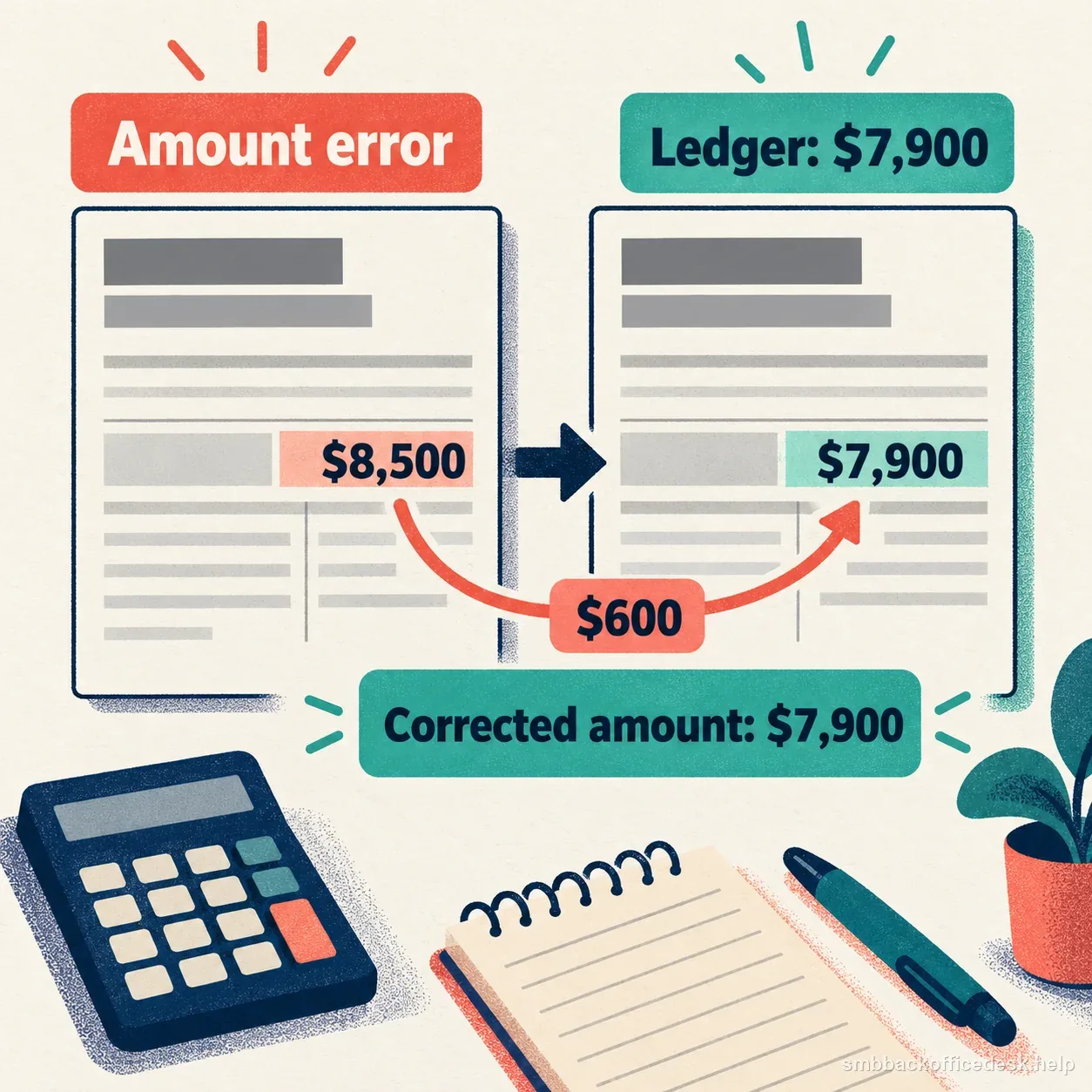
The sample shows a ledger-supported amount change while masking recipient identifiers.
Handle a wrong or missing payee name/TIN with extra care
For paper corrections, IRS Publication 1099 identifies an incorrect or missing payee TIN and an incorrect payee name as Error Type 2. Its chart says to identify the incorrect return using the original recipient information and zero the amounts, then make a new original return with the correct recipient information and amount. Both steps matter: zeroing the old record alone can leave the correctly paid recipient without a filed return.
For corrections submitted through the IRIS Taxpayer Portal, the IRS portal guide describes a one-step correction for most errors, including an information mismatch in the recipient name or TIN. It distinguishes that from a wrong form type, which requires two steps. This is why a one-size-fits-all “always file two forms” instruction can mislead an e-filer. Check which IRS system accepted the original, then follow that system's current correction workflow exactly. If you filed through a software provider or FIRE/A2A, use the current IRS specifications and your transmitter's status screen rather than applying paper-only field instructions to a different record format.
Avoid putting full Social Security numbers or EINs in email, screenshots, or ordinary QA notes. Use the restricted tax system to verify the legal name and TIN. After preparing the correction, compare the recipient copy and IRS submission record to the source W-9 or other authoritative payee record before transmitting.
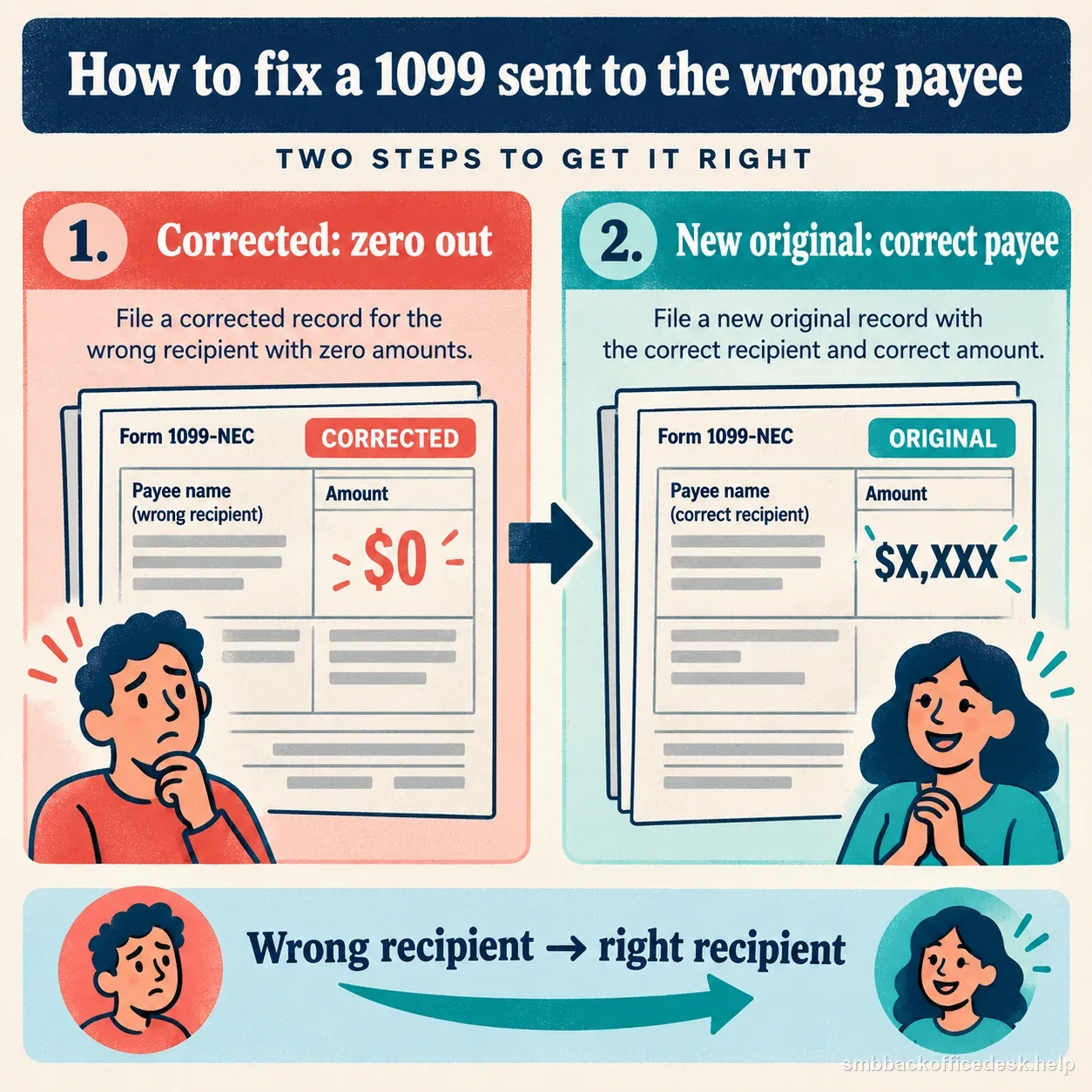
Paper instructions and e-file systems can differ; use the exact workflow for the channel that accepted the original.
Furnish the recipient copy and handle state filing separately
Filing with the IRS and furnishing the recipient statement are separate tasks. The IRS general instructions say to furnish recipients statements showing the correction. Give the recipient a clear corrected statement through the approved delivery method and record the delivery date. If the form also carries state information, check the state's filing and correction rules: states differ, and some use federal combined-filing data while others require a separate submission. The IRS specifically says not to file a federal corrected return when the correction is only to state or local information; contact the relevant tax department for that change.
If an outside service filed the original, ask who owns the correction transmission and recipient delivery. Do not assume that clicking “correct” in a bookkeeping product automatically updates every state agency, sends the recipient copy, or makes the correction accepted. Save the federal result and any separate state result independently.
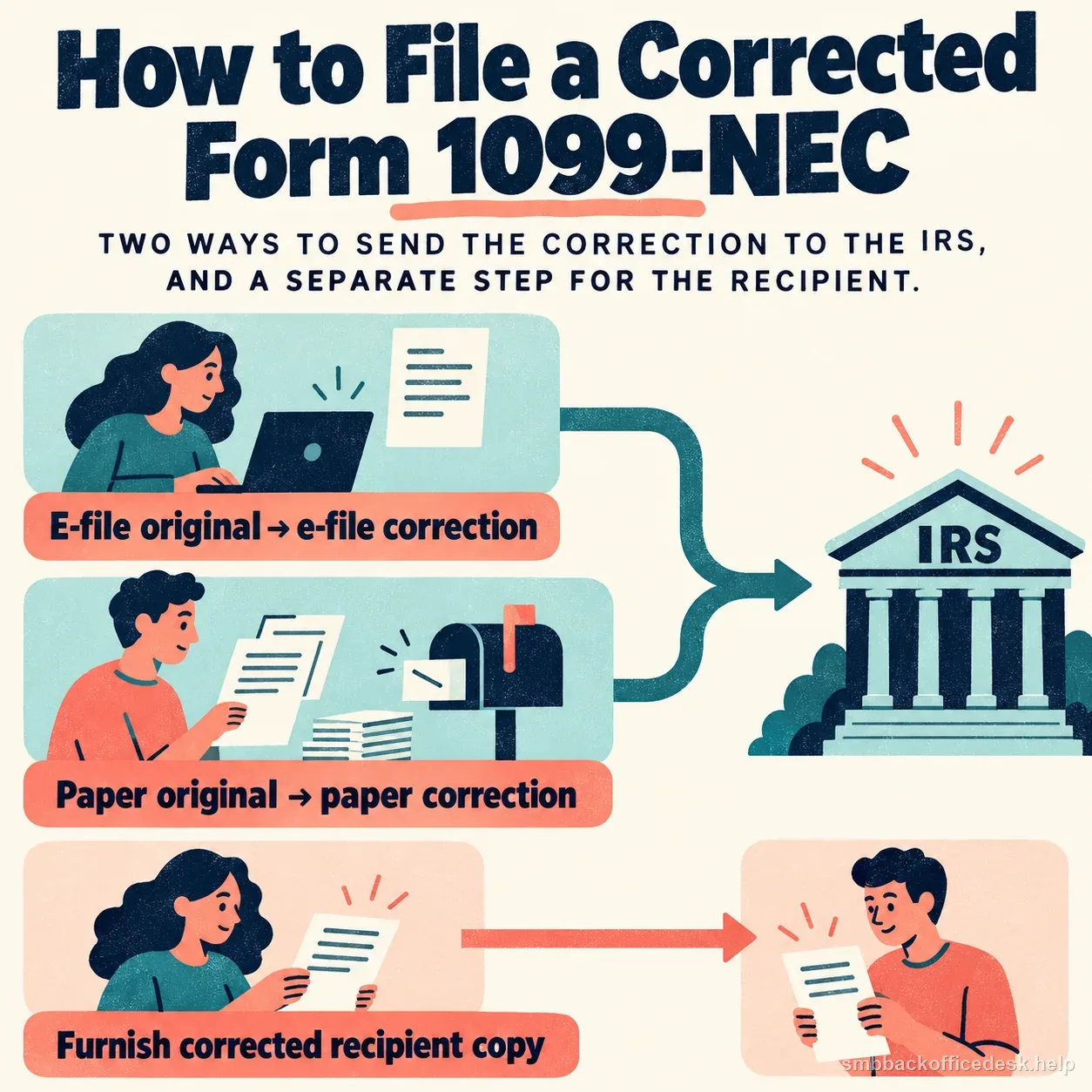
Follow the appropriate e-file or paper correction process, then furnish the corrected recipient statement as a separate step.
Reconcile and retain the correction record
Keep the original accepted form, corrected form(s), submission receipt, rejection/acceptance messages, recipient statement, proof of delivery, reconciliation worksheet, and notes explaining why the correction was made. Preserve the original instead of overwriting it in the vendor profile. If the filing system gives a record or transmission ID, save it with the tax year and payee reference. Protect the package because it contains sensitive tax data.
Use a short closeout checklist: correct year and form; correct payer; recipient identity verified in the restricted record; amounts tie to the ledger; correction type matches the IRS chart or portal workflow; no duplicate paper filing after an e-file; recipient statement sent; state obligation checked; and accepted status saved. If the correction is pending, leave it open and calendar a follow-up rather than calling it complete.
Common errors to avoid
- Checking VOID after the form was already filed. The IRS says VOID is for a form that is wrong before submission; it does not correct a filed return.
- Correcting a rejected transmission as if it were accepted. Fix the rejection and confirm whether the original was ever accepted.
- Treating a wrong payee name/TIN as an amount edit. The IRS assigns identity errors their own path.
- Using a paper two-step process for an IRIS portal correction without checking the portal workflow.
- Filing both paper and electronic copies of the same correction.
- Sending the IRS correction but forgetting the corrected recipient statement.
- Assuming the federal correction automatically fixes a state's record.
- Replacing the original filing record, which removes the evidence needed to explain the change.
A final decision path
If the original was rejected, fix that submission first. If accepted, classify the discrepancy. For an amount, code, or checkbox error with the right recipient, use the Type 1 correction in the same applicable filing channel. For a wrong name/TIN, follow the specific paper, IRIS, or electronic-transmitter workflow for that accepted record. If the form type is wrong, verify the two-step requirements before submitting. Then furnish the corrected recipient statement, address any state filing separately, and retain acceptance proof with the source reconciliation. For an unusual correction, multiple payees, a payer TIN error, or a recipient dispute, consult the IRS instructions or a tax professional before transmitting. This guide is operational education, not tax advice.
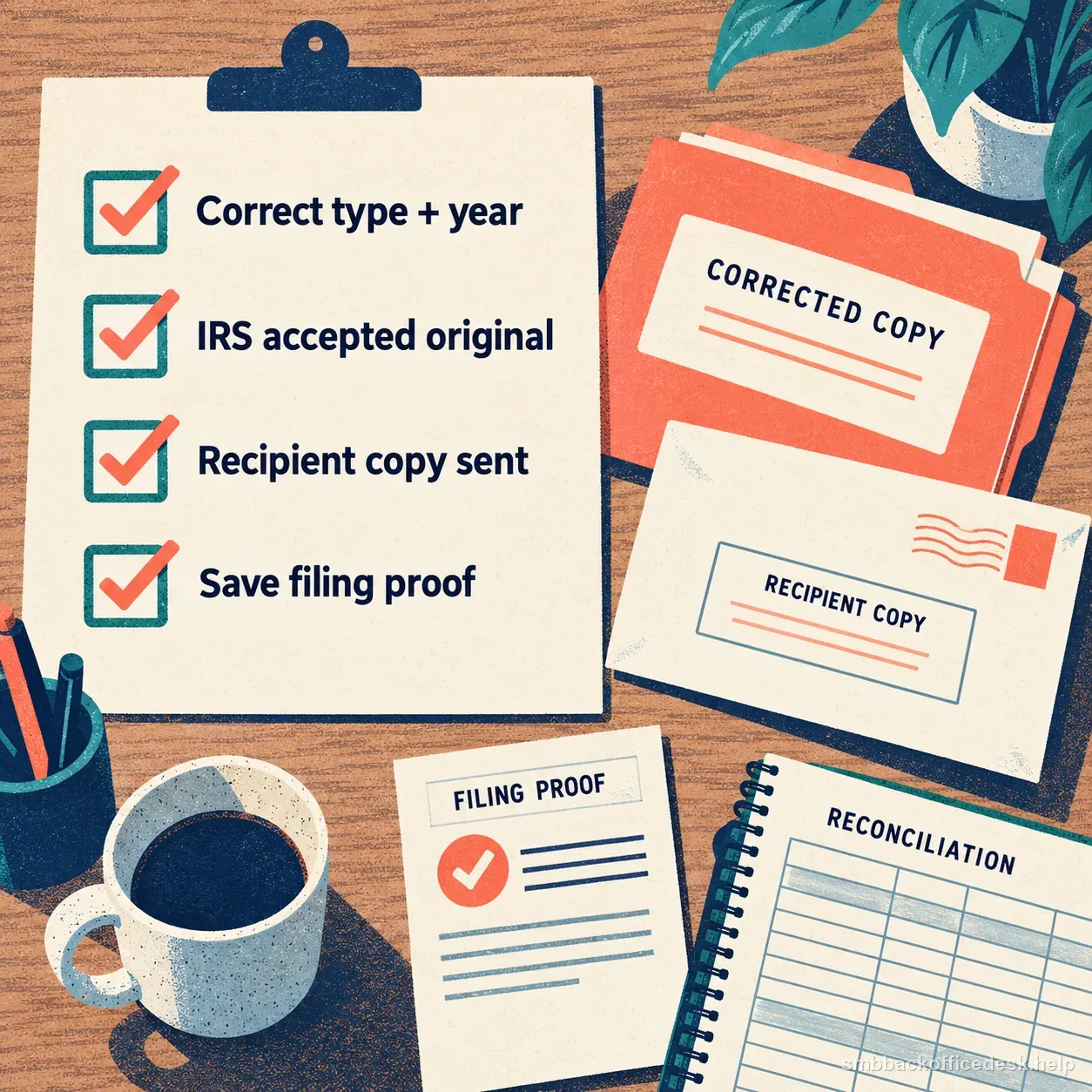
Confirm the correct tax year and type, accepted original status, recipient delivery, and filing proof before closing the work item.